Choosing the Right Halloween Spooky Clipart for Professional and Personal Projects
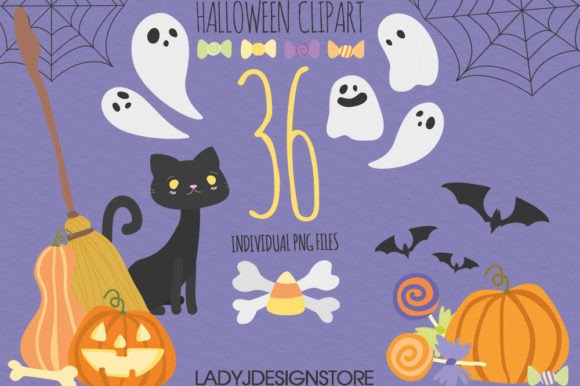
As the autumn season approaches, content creators, small business owners, and hobbyists face a familiar challenge: sourcing high-quality visual assets that capture the spirit of the holiday without compromising on resolution or versatility. Halloween spooky clipart has evolved from simple, pixelated icons into sophisticated digital resources capable of elevating everything from e-commerce banners to handcrafted invitations. When evaluating a collection, such as a set of 36 independent elements featuring pumpkins, bats, and ghosts, the decision often comes down to understanding the technical specifications and how they align with your specific production needs.
The term "clipart" sometimes carries a legacy connotation of low-resolution, generic imagery. However, modern digital clipart operates under different standards. A premium collection typically offers files saved at 300 DPI (dots per inch), which is the industry standard for professional printing. This distinction is critical when comparing options. Many free resources found online are optimized solely for screen display at 72 DPI. While these may look acceptable on a smartphone, they often appear blurry or jagged when printed on cardstock or used in large-format projects. A set offering 300 DPI ensures that whether you are creating a physical scrapbook page or a high-definition web banner, the edges of your ghosts and pumpkins remain crisp and defined.
Evaluating Format Flexibility: PNG vs. Other File Types
One of the most significant factors in choosing a Halloween spooky clipart package is the file format. The gold standard for versatile design work is the PNG (Portable Network Graphics) format with a transparent background. Unlike JPEGs, which impose a white or colored box around the image, transparent PNGs allow designers to layer elements seamlessly over any background color or texture.
When reviewing a product description that mentions "36 independent PNG files," this indicates a high degree of modularity. Instead of receiving a single sheet where all images are grouped together, you receive individual assets. This separation is vital for customization. For instance, if you are designing a stationary set, you might want to place a bat in the corner of a letterhead and a pumpkin on the envelope. Independent files make this workflow efficient. In contrast, vector formats like SVG or EPS offer infinite scalability but often require specialized software like Adobe Illustrator to edit. For the majority of users utilizing tools like Canva, Microsoft Word, or basic photo editors, high-definition PNGs strike the best balance between quality and ease of use.
The size of the files also dictates their utility. A collection where each PNG is saved at approximately 10 inches at its widest point provides substantial flexibility. This dimension allows the images to be resized downward for small embellishments, such as journal stickers or cupcake toppers, without losing detail. Conversely, attempting to enlarge a small 2-inch clipart image to fit a web banner usually results in pixelation. Starting with a larger base size (10 inches) gives you the headroom to adapt the spooky clipart to various mediums, from digital social media posts to large party signage.
Comparing Thematic Styles and Aesthetic Approaches
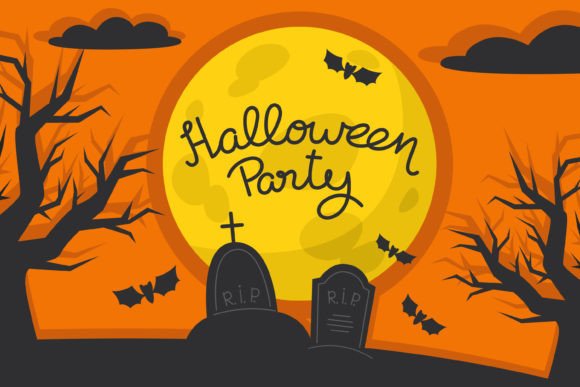
Not all Halloween imagery serves the same purpose. When selecting a Halloween spooky clipart set, it is essential to consider the aesthetic tone. Collections generally fall into categories ranging from "cute and whimsical" to "dark and gothic." A set featuring classic elements like pumpkins, bats, and ghosts can vary wildly in style. Some artists opt for watercolor textures, which add a soft, organic feel suitable for baby showers or elegant invitations. Others prefer bold, flat colors or hand-drawn sketch styles that resonate better with children's activities or bold marketing materials.
Understanding your audience helps narrow down the choice. If you are creating content for a corporate newsletter or a sophisticated brand, a minimalist or vintage-inspired spooky clipart set might be more appropriate than a cartoonish alternative. On the other hand, for classroom decorations or family photo albums, a more playful approach often yields better engagement. The advantage of purchasing a curated set of 36 elements is consistency; all images share the same artistic DNA, ensuring that your final project looks cohesive rather than like a collage of mismatched internet finds.
Practical Applications and Use Cases
The versatility of high-definition digital assets extends across both physical and digital domains. For those involved in scrapbooking and journaling, the ability to print 300 DPI images on high-quality paper is paramount. These clips can be cut out and adhered to pages, adding a professional touch to memory keeping. Similarly, for stationery designers, these elements serve as the foundation for custom greeting cards, thank-you notes, and party invitations. The transparent background ensures that the designs integrate smoothly with textured papers or colored envelopes.
In the digital realm, the applications are equally broad. Web designers and social media managers frequently need seasonal graphics to refresh their online presence. A set of Halloween spooky clipart can be quickly assembled into website headers, email newsletter banners, or Instagram story highlights. Because the files are independent, they can be rearranged endlessly to create new compositions without needing to start from scratch. For example, a ghost image can be paired with a text overlay for a sale announcement, while a pumpkin might anchor a blog post graphic. The 10-inch base size ensures that even when cropped or zoomed in for mobile viewing, the image quality remains sharp.
Decision Factors: When to Choose This Format Over Alternatives
While a high-quality PNG set is an excellent resource, it is not the only solution for every scenario. It is important to recognize when this type of product fits your needs and when you might require an alternative.
- Choose High-Def PNG Clipart If: You need immediate usability without a steep learning curve. You are using standard design software (Word, PowerPoint, Canva, Photoshop Elements). You require print-ready resolution for physical products like cards or flyers. You value a consistent art style across multiple elements.
- Consider Vector Files (SVG/EPS) If: You need to scale images to massive sizes (e.g., billboards or vehicle wraps) where even 300 DPI might eventually show limits. You intend to significantly alter the shape or path of the illustrations yourself.
- Look for Stock Photography If: Your project requires realistic lighting, shadows, and depth that illustrations cannot provide. However, note that stock photos often lack the transparency and stylized charm of dedicated clipart.
Another consideration is the licensing and customization aspect. Most premium clipart sets allow for extensive personalization. You can recolor elements, add filters, or combine them with other graphics. This level of control is often restricted in subscription-based stock photo services where you download a finished image. With a set of 36 independent files, you own the assets to manipulate as seen fit within the license terms, offering greater long-term value for recurring seasonal projects.
Maximizing Value Through Strategic Selection
When investing in digital resources, the cost-per-use is a practical metric. A single-use template might seem convenient, but a versatile Halloween spooky clipart library can serve you for years. The 36-element count suggests a comprehensive toolkit rather than a niche solution. It likely covers the primary symbols of the holiday, reducing the need to hunt for additional graphics later.
Furthermore, the "easy to resize" characteristic mentioned in many product descriptions is a key selling point for efficiency. In a professional setting, time spent fixing blurry images is time lost. By starting with files that are already optimized at 300 DPI and roughly 10 inches wide, you eliminate the trial-and-error phase of determining if an image is "big enough." This reliability allows you to focus on the creative arrangement of the bats, ghosts, and pumpkins rather than troubleshooting technical limitations.
Ultimately, the choice of digital assets should align with your project's end goal. Whether you are a teacher preparing classroom materials, a marketer launching a fall campaign, or a crafter building a memory book, the clarity and flexibility of your visuals matter. High-definition, transparent PNGs offer a robust middle ground between the rigidity of stock photography and the complexity of vector illustration. They provide the artistic flair of custom design with the accessibility of ready-to-use files, making them a prudent choice for a wide range of Halloween-themed endeavors.